Homebrew は macOSを対象とした パッケージ管理ツールです。
パッケージをHomebrewで導入しようとしたとき、Homebrewのアップグレード自体に時間が掛ってしまうことがよくあるので、定期的に自動実行するようにしました。
"~/Library/LaunchAgents/"
に localhost-homebrew-upgrade.plist という名前で以下のようなファイルを作成します。
(2021/07/25追記)
Apple M1チップを使っているMacでは、 /usr/local/bin の部分のパスが /opt/homebrew/bin と変更されるようです。
<?xml version="1.0" encoding="UTF-8"?>
<!DOCTYPE plist PUBLIC "-//Apple//DTD PLIST 1.0//EN" "http://www.apple.com/DTDs/PropertyList-1.0.dtd">
<plist version="1.0">
<dict>
    <key>Label</key>
    <string>localhost.homebrew-upgrade</string>
    <key>ProcessType</key>
    <string>Background</string>
    <key>ProgramArguments</key>
    <array>
        <string>/bin/sh</string>
        <string>-c</string>
        <string>/usr/local/bin/brew upgrade --cleanup && /usr/local/bin/terminal-notifier -title 'Homebrew Upgrader' -message 'Homebrew has been upgraded.'</string>
    </array>
    <key>RunAtLoad</key>
    <true/>
    <key>StandardErrorPath</key>
    <string>/tmp/localhost.homebrew-upgrade.stderr</string>
    <key>StandardOutPath</key>
    <string>/tmp/localhost.homebrew-upgrade.stdout</string>
    <key>StartCalendarInterval</key>
    <dict>
        <key>Hour</key>
        <integer>8</integer>
    </dict>
</dict>
</plist>
これは launchd で自動実行させるための定義です。8時間ごとに brew upgrade --cleanup を
実行するようになります。
内部で terminal-notifier と言うパッケージを利用しているので、 terminal-notifierを
導入後に launchd に登録します。
$ brew install terminal-notifier
$ launchctl load ~/Library/LaunchAgents/localhost.homebrew-upgrade.plist
これで 8時間ごとにHomebrewがアップグレードされます。
アップグレードが走ると以下のような通知が、macOS上に表示されます。
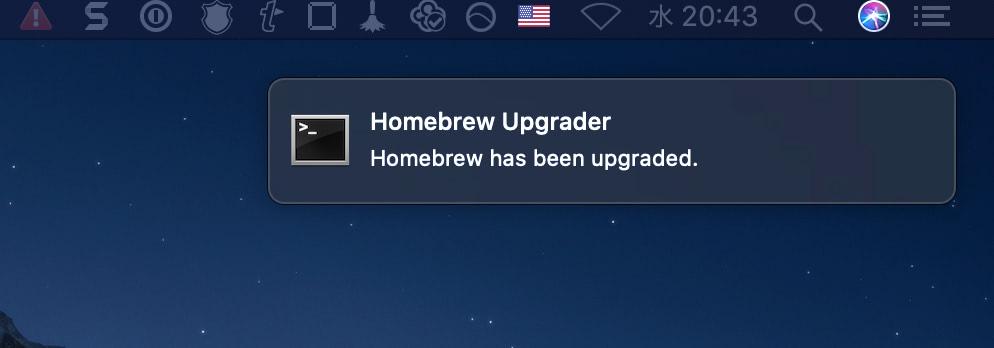
Homebrew Upgrade通知
これでbrewコマンドを叩く度に待たされることは減るでしょう。